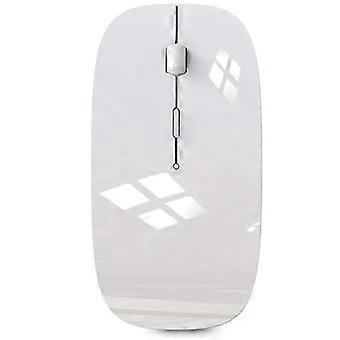
Wireless Mouse compatible with Bluetooth Mouse compatible with Pro Air Laptop Windows Bluetooth Mouse compatible with
€35.64
+ €11.99 Shipping

Wireless Mouse compatible with Bluetooth Mouse compatible with Pro Air Laptop Windows Bluetooth Mouse compatible with
Sold by:
Wireless Mouse compatible with Bluetooth Mouse compatible with Pro Air Laptop Windows Bluetooth Mouse compatible with
€35.64

Save €127.05 (79%)

RRP

€162.69
In stock
+ €11.99 Shipping

14-Day Returns Policy

Payment methods:

  • Brand: Unbranded

Description

Wireless Mouse compatible with Bluetooth Mouse compatible with Pro Air Laptop Windows Bluetooth Mouse compatible with
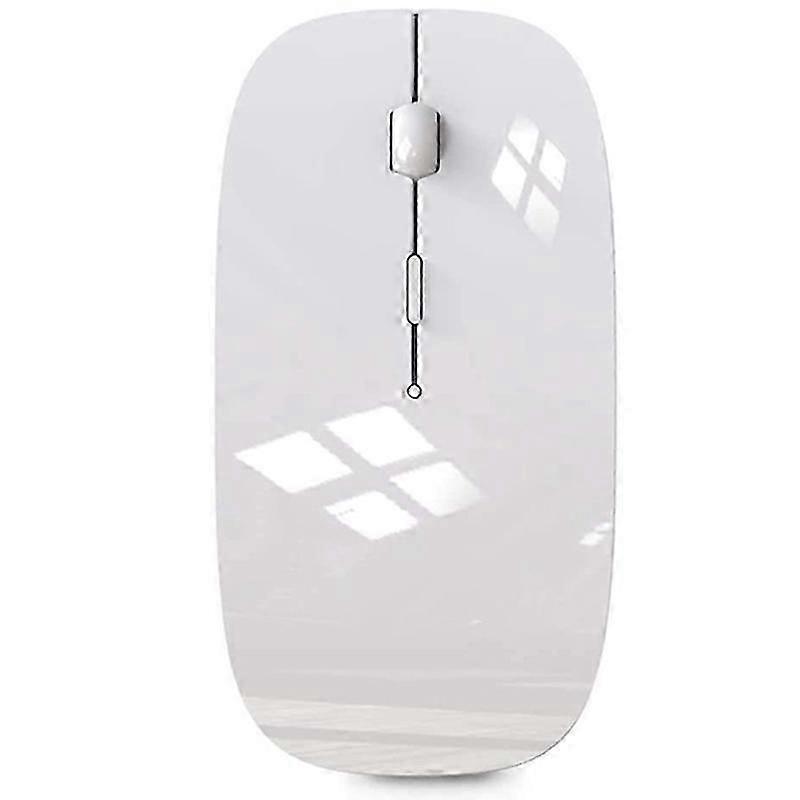
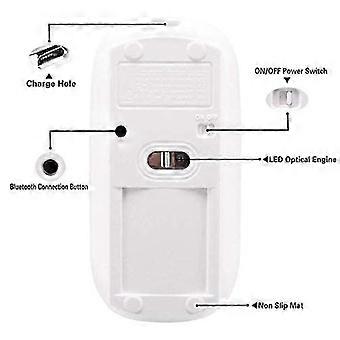
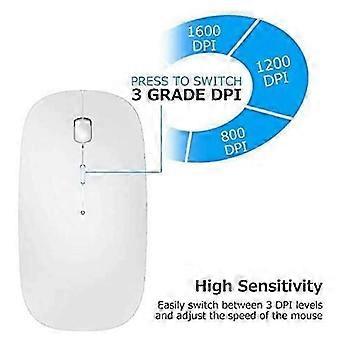
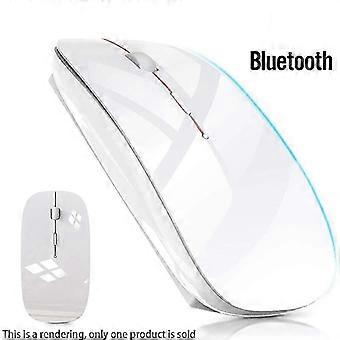
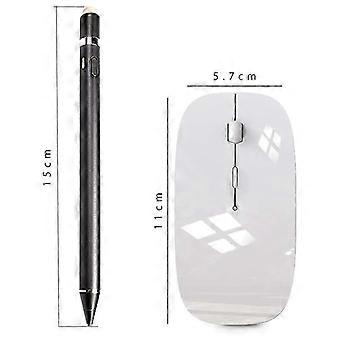
Wireless Mouse for Bluetooth Mouse for Pro Air Laptop Windows Bluetooth Mouse for [Best compatible Bluetooth 4.0 chip]-Compatible with more than 99% Bluetooth devices. Connect 10.2 2019, 9.7 inches 2018, 9.7 2017, Pro 12.9 inches / 11.0 inches / 10.5 inches / 9.7 inches, Air 10.5 / Air 2, mini 5/ 4, 11 Pro Max, 11 Pro, 11, Xs Max, etc. PC, pro air 2012/2017/2018/2019 laptop, laptop, OS; support Win7 Win8 Win10 Linux or Android tablet Comfortable Contact and ultra-thin design: symmetrical and ergonomic design makes this wireless Bluetooth mouse suitable for left and right hands. surface coating technology brings you a Contact like skin. Ultra-thin and portable, the mouse can be used anytime and anywhere during travel. suitable for use at work/study/play. Mute click and adjustable : The silent design of the left and right buttons allows you to focus on work or playing games without disturbing others. Switch between levels 800, 1200 and 1600 to meet your needs with high precision. Advanced optical tracking technology ensures greater sensitivity and can accurately track on various surfaces. Rechargeable and saving Erengy: The mouse has a built-in rechargeable battery with a charging cable. No need to replace the battery. In order to save power and long-term use, the mouse will automatically enter sleep mode after 11 minutes of inactivity, just click any button to wake it up. How to use a Bluetooth mouse: turn on the mouse switch, open the computer system preferences, and turn on the Bluetooth function. When the computer Bluetooth shows that it is searching for nearby Bluetooth devices, you need to hold down the "black button" at the bottom of the mouse and hold down 3-6 Seconds, then your computer will display the Bluetooth mouse when searching for the device, then click to connect it, and then successfully connect How to update the software version? (Open and click General to find the software update function) Click Download to install the latest version of iOS 13) The Bluetooth connection of the or is different from that of the laptop. Fi
  • Fruugo ID: 516448332-1053031753
  • EAN: 9443245042281

Product Safety Information

Please see the product safety information specific to this product outlined below

The following information is provided by the independent third-party retailer selling this product.

Product Safety Labels

CE Mark
Safety Warnings: Important Safety Instructions Read Before Use: Please read all instructions and safety warnings before using this product. Failure to follow these guidelines may result in injury, damage, or malfunction. General Warnings Intended Use: Use this product only for its intended purpose as described in the user manual. Supervision Required: This product is not intended for use by children or persons with reduced physical, sensory, or mental capabilities without supervision. Inspection Before Use: Check for any signs of damage or wear before use. Do not use if damaged.

Delivery

Dispatched within 5 days

  • STANDARD: €15.68 - Delivery between Wed 12 August 2026–Thu 20 August 2026

Shipping from China.

Returns & Cancellations

Returns

We do our best to ensure that the products that you order are delivered to you in full and according to your specifications. However, should you receive an incomplete order, or items different from the ones you ordered, or there is some other reason why you are not satisfied with the order, you may return the order, or any products included in the order, and receive a full refund for the items.

View full return policy

Cancellations

You have the right to withdraw from your purchase within 14 days from receiving your order without giving a reason. To exercise your right easily, you can use the "Cancel my order" link in the footer of every page or within your Fruugo account under "Orders". Once you exercise your right to withdraw, we will send you an email acknowledgment. If your order has already been shipped by the retailer, we will provide you with the necessary return instructions to ensure your refund is processed promptly.

View full cancellation policy

Product Compliance Details

Please see the compliance information specific to this product outlined below.

The following information is provided by the independent third-party retailer selling this product.

Manufacturer
The following information outlines the contact details for the manufacturer of the relevant product sold on Fruugo.

  • Shenzhen Xinhui Electronics Co., LTD
  • Shenzhen Xinhui Electronics Co., LTD
  • 403, No. 133, Xinping Village, Dawang Community, Donghu Street, Luohu District, Shenzhen
  • Shenzhen
  • CN
  • 518000
  • [email protected]
  • 86-17608433813

Responsible Person in the EU
The following information outlines the contact information for the responsible person in the EU. The responsible person is the designated economic operator based in the EU who is responsible for the compliance obligations relating to the relevant product sold into the European Union.

  • EC REP SERVICES SL
  • EC REP SERVICES SL
  • Calle Gran Via 49, 7 Dch.
  • Madrid
  • ES
  • 28013
  • [email protected]
  • 682797075